Every frame on your wall is a rectangle. A4, A3, 30 × 40, 50 × 70 — the sizes a frame shop stocks, and none of them square.
Every model this studio made used to be one. You picked the largest square your printer’s bed takes and how many of those squares the model should be, which is a fine way to describe a print and a hopeless way to fill a frame: a run of equal squares can only ever land on a multiple of its own side. Four 15 cm plates make 30 × 30. Six make 30 × 45. Nothing made 30 × 40, and nothing was ever going to make 21 × 29.7.
So you type the finished size instead, and the studio works out the plates. That is the whole change, and the rest of this page is what it does with the two numbers you give it.
Type the size, not the plate
The framing step has two tabs. Square plates is what was always there — start from your bed. Custom size is the new one: a width, a height, in centimetres, and six presets for the frames people actually buy.
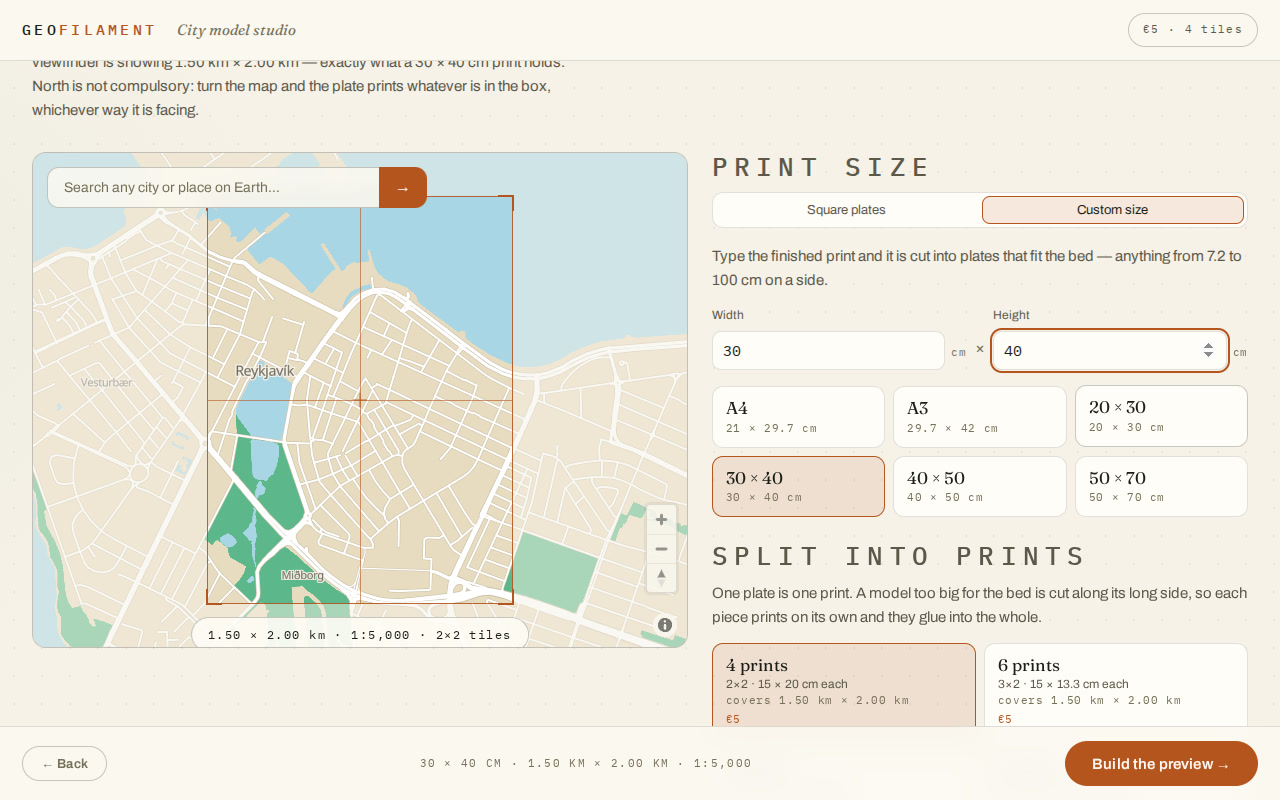
- The presets are the sizes a frame shop stocks rather than a spread of round numbers — A4 is 21 × 29.7 cm because that is what A4 is, and a model cut to 21 × 30 does not fit the frame it was made for.
- Anything from 7.2 cm to 100 cm on a side. The floor is what the terrain grid needs to keep its detail; the ceiling is a metre of model, which is 5 km of city.
- One scale governs both directions. A print is a map up the page as well as across it, so a 30 × 40 holds 1.50 × 2.00 km and an A4 holds 1.05 × 1.49 km — never a map one way and a stretch the other.
How many prints, and how they are arranged
Most frame sizes are bigger than a printer bed, so the model comes down as a grid. You say how many prints you are willing to make; the arrangement falls out of the shape, because asking for rows and columns would be asking you to work out something the studio already knows.
Of all the ways a piece count divides your print, the one whose plate is nearest square is the one you get. Six pieces of a 30 × 40 could be laid out as one row of six, which is a plate 5 × 40 cm — a sliver no printer wants and nobody meant. It comes out as 3 × 2 of 15 × 13.3 cm instead. And the sliver is not merely passed over on taste: 5 cm is under the floor and 40 cm is over what a bed takes, so it is refused outright and never offered.
- A4 · 21 × 29.7 cm — two prints, 21 × 14.8 cm each. It fits a 25 cm bed in two pieces.
- A3 · 29.7 × 42 cm — four prints, 14.8 × 21 cm each.
- 30 × 40 cm — four prints, 15 × 20 cm each. It cannot be made in fewer, which is the studio saying so by not offering one.
- 50 × 70 cm — six prints, 25 × 23.3 cm each on the 25 cm bed the studio assumes, used to the millimetre. Tell it your own bed and the layouts follow it.
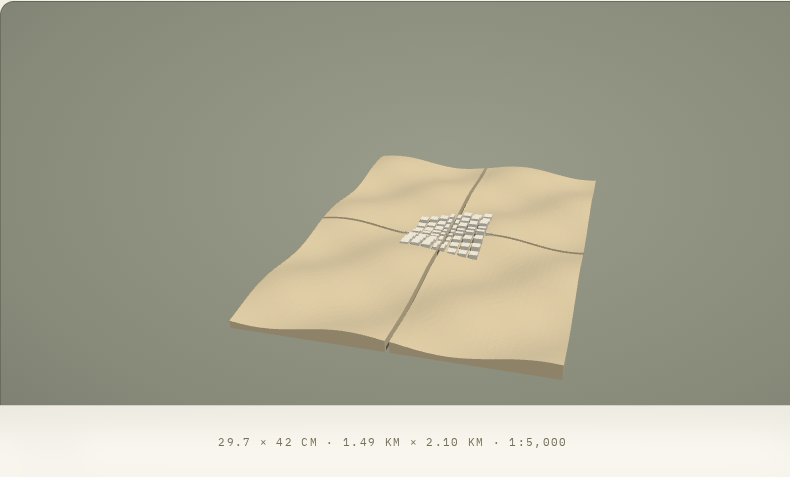
The seams are planned rather than sawn. A building the grid happens to run through is worked out for the whole model before any plate is cut, so it prints at the same height on both plates and meets itself at the join — measured, to within a ten-thousandth of a millimetre.
What it costs
The price follows the finished object rather than the number of prints it takes to make it: €3 up to 25 cm, €5 up to 50 cm, €8 above that, banded on the longer edge. An A4 and a 30 × 40 are both €5 — the A4 in two prints and the 30 × 40 in four — and a 50 × 70 is €8 whether you take it in six pieces or in sixteen.
And what you buy is the model rather than the moment. A purchase carries a generous box around the ground it covers — half again as wide as the print on each edge, so a 30 × 40 is bought with 48 × 64 cm of ground round it — inside which you can move and turn the frame as often as you like and download the re-framed plates for nothing.
The link still carries it
A model is a URL here, and a custom size is no exception: the link says the finished print and the layout, so anyone who opens it rebuilds the same object at the same size. What it never carries is the plate — that is worked out from the print, and a link spelling both would be two halves that could disagree.
Measure the frame first
Take the frame off the wall, measure the opening, and type that. Then frame the part of the city you want inside it — north is not compulsory, so a harbour that runs south-west can sit square in the box — and print it in as many pieces as your bed needs.
Passing it on
The film at the top of this page is free to use, and so are the words below it. Press Copy and it is on your clipboard. The film itself, the vertical cut for a phone and both posters are in the press kit on the launch post.
Frame reel — LinkedIn
Goes with the film at the top of this page. Upload the square cut natively rather than linking it.
Every frame on your wall is a rectangle. Every 3D-printed map I could make was a square.

A4, A3, 30 × 40, 50 × 70 — those are the sizes a frame shop stocks, and a run of equal square plates lands on none of them. Four 15 cm plates make 30 × 30. Six make 30 × 45. Nothing made 30 × 40.

So GeoFilament takes the finished size instead, and works out the plates.

→ Type a width and a height in centimetres, or take a preset: A4, A3, 20 × 30, 30 × 40, 40 × 50, 50 × 70
→ Say how many prints you are willing to make, and the arrangement falls out of the shape
→ Of the ways six pieces divide a 30 × 40, you get 3 × 2 of 15 × 13.3 cm — never one row of six 5 × 40 cm slivers, which no bed takes and nobody meant
→ One scale both ways, so a 30 × 40 holds 1.50 × 2.00 km of real city
→ Priced by the finished object: €5 for an A4 or a 30 × 40, whether that is two prints or four

The seams are planned before any plate is cut, so a building the grid runs through prints at one height on both plates and meets itself at the join.

Measure the frame you already own. Then print the map that fits it.

geofilament.mochi.is

Map data © OpenStreetMap contributors (ODbL)
Frame reel — Instagram, TikTok
For the vertical cut. A link is not clickable there, so the address is said rather than linked.
A map that fits the frame you already own.

Every frame on your wall is a rectangle — and every 3D-printed map used to be a square. A run of equal plates lands on 30 × 30 or 30 × 45. Never on 30 × 40, and never on A4.

Now you type the finished size and it works out the plates: A4 in two prints, A3 in four, 50 × 70 in six. Each one near square and flat on the bed, with the seams planned across the joins.

Real ground, real buildings, at a true 1:5,000.

geofilament.mochi.is

#3dprinting #3dprint #bambulab #citymap #maps #cartography #wallart #interiordesign #architecture #makersgonnamake
One line
For a directory entry, a newsletter blurb or an app-store subtitle.
GeoFilament prints a 3D city map to a finished size — A4, A3, 30 × 40, 50 × 70 — and works out the plate layout that fits your printer’s bed.